
Product page upsell strategies involve presenting higher-tier alternatives, bundles, or add-ons directly on the product page before a customer adds an item to their cart, capturing high buyer intent and boosting average order value (AOV) before checkout.
Implementing effective upsell strategies for product pages is one of the most direct ways to increase your store’s average order value (AOV) without spending more on acquiring new traffic. By presenting relevant, high-value alternatives or add-ons before the customer clicks the add-to-cart button, you capture buyer intent when it is at its absolute peak.
According to industry data, the three highest-converting touchpoints for ecommerce upselling are product pages (before cart addition), cart and checkout (during purchase), and post-purchase (Gorgias). While post-purchase funnels target users who have already committed, pre-purchase upselling on the product page itself captures attention early, making it a critical component of broader store conversion rate optimization (CRO) and funnel design.
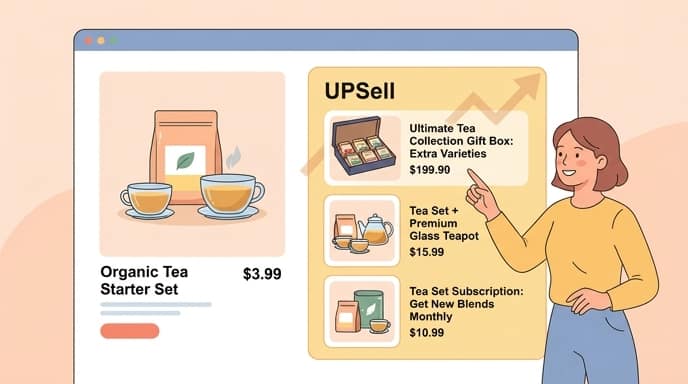
1. The ‘Upgrade Your Experience’ Model
The “Upgrade Your Experience” model focuses on nudging customers toward a premium version of the item they are already looking at. Instead of trying to sell an entirely different product, you present a higher-tier model that offers better performance, larger capacity, or superior materials.
Research shows that introducing an upgrade section on the product page to showcase premium versions or higher-end models helps execute successful upsell variations (VWO). This approach leverages the customer’s existing interest in the base product and frames the premium option as a logical step up.
To make this strategy work without causing decision paralysis, use a clean specs comparison table rather than forcing a blind choice. Laying out the exact differences—such as battery life, storage capacity, or warranty duration—helps the buyer justify the higher price point instantly.
2. Bundling Complementary SKUs
Product bundling is a classic strategy that packages the main product with highly relevant accessories or complementary items. This approach simplifies the shopping experience by saving the customer from searching for necessary add-ons separately.
Offering product bundles where a package of related products is sold at a discount is a popular and effective product page upsell approach (Qikify). By discounting the bundle slightly compared to buying each item individually, you create a strong perception of savings and value.
For maximum impact, position your bundle offer above the fold or immediately near the primary add-to-cart button. This ensures that the customer sees the package deal before making their final decision.
- The Starter Kit: Combine the main product with its essential accessories (e.g., a camera with a memory card and carrying case).
- The Multi-Pack: Offer a volume discount for buying two or more of the exact same item (ideal for consumables).
- The Curated Routine: Group complementary products that work together to solve a larger problem (e.g., a skincare cleanser, toner, and moisturizer).
3. Warranties, Protection Plans, and Add-ons
Low-friction add-ons are small, high-margin items or services that customers can add to their order with a single click. These offers work best when they require almost zero cognitive effort to evaluate.
Warranties, extended protection plans, and priority shipping are excellent examples of low-friction add-ons for high-ticket items. Because these services offer peace of mind, they carry a high perceived value while adding virtually no physical fulfillment costs to your business.
To implement this successfully, use simple checkbox interfaces located directly above the add-to-cart button. Keep the pricing of these add-ons relative to the main product—typically under 15% of the main item’s cost—to ensure the decision remains an impulse buy rather than a source of hesitation.
4. UX Best Practices: Avoiding the Aggressive Trap
While upselling is highly effective, there is a fine line between helpful recommendations and aggressive sales tactics. Overloading your product pages with pop-ups, countdown timers, and blinking badges will drive customers away.
Bombarding customers with upsell prompts at every touchpoint creates relentless friction and over-aggressiveness (Balkan Ecommerce). This aggressive behavior often leads to cart abandonment and damages long-term brand trust.
Key takeaway: Keep your product page upsells subtle, relevant, and contextual to protect the user experience and maintain high conversion rates.
To maintain a clean user experience, follow this quick checklist when designing your upsell widgets:
- Ensure upsell widgets load instantly without shifting the page layout.
- Limit the number of upsell offers on a single product page to one or two highly relevant options.
- Use native-looking design elements that match your store’s overall branding and typography.
- Never use intrusive pop-ups that block the user from reading the main product details.
If you are looking to build highly optimized, clean, and fast-loading product pages that integrate these strategies seamlessly, using a dedicated tool can save you hours of manual design. You can easily generate conversion-focused pages using an AI landing page generator or explore the flexible design options available on PageHunter to scale your ecommerce operations.
FAQ
What is the difference between pre-purchase and post-purchase upselling?
Pre-purchase upselling occurs on the product page or cart page before the customer completes their transaction, encouraging them to choose a higher-value item or add-on. Post-purchase upselling happens after the checkout is complete but before the thank-you page, allowing customers to add items to their order with a single click without re-entering payment details.
How do you prevent upsells from hurting conversion rates?
To prevent upsells from hurting conversion rates, keep the offers highly relevant to the main product and avoid using intrusive pop-ups. Use subtle, native-looking widgets like checkboxes or clean comparison tables that do not distract from the primary call-to-action button.
Where should upsell widgets be placed on a product page?
Upsell widgets should ideally be placed near the primary “Add to Cart” button or just below the fold. Placing low-friction options like warranties or small add-ons right above the checkout button makes them easy to toggle, while larger bundle offers perform well when displayed clearly below the main product details.
Can I use an AI landing page generator to build optimized product pages?
Yes, you can use an AI landing page generator to quickly design and launch high-converting product pages. These tools help you structure your layout, write compelling copy, and position your upsell sections in high-converting areas automatically.