
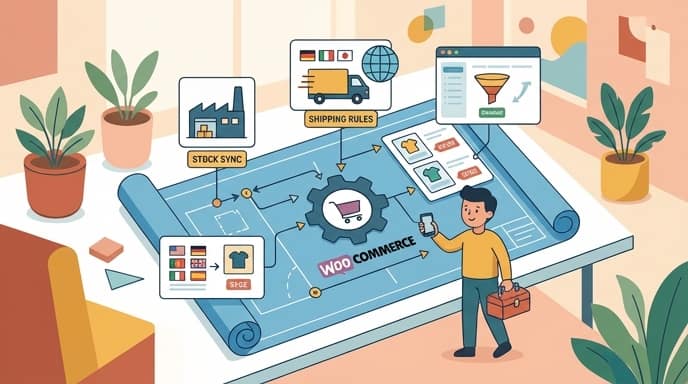
To execute a successful WooCommerce setup for dropshipping, operators must install the core WooCommerce plugin, connect with suppliers via dedicated extensions, and configure regional shipping rules. Building this foundation correctly ensures automated order routing, accurate inventory synchronization, and a seamless checkout experience for international buyers.
Prerequisites: Hosting, Domain, and WordPress
Setting up WooCommerce dropshipping requires a self-hosted WordPress site, a custom domain, and a fast, optimized hosting provider. Before installing any e-commerce software, you need a stable infrastructure to support real-time inventory syncs and customer checkouts.
Shared hosting plans often fail when processing simultaneous API calls from supplier networks. Choosing a Virtual Private Server (VPS) or managed WordPress hosting ensures database queries execute fast, keeping page load times under two seconds.
Key takeaway: A fast website directly impacts conversion rates; secure a managed WordPress host and a clean domain before installing any e-commerce plugins.
Infrastructure Checklist
- Custom Domain: Choose a short, brandable .com domain without hyphens.
- Managed WordPress Hosting: Select a host offering object caching (like Redis) and SSL certificates.
- PHP Version: Ensure your server runs PHP 8.1 or higher for optimal WooCommerce performance.
- Fresh WordPress Install: Clean out default themes and plugins to prevent database bloat.
Installing and Configuring WooCommerce
To set up a dropshipping store with WooCommerce, operators must install the WooCommerce plugin, connect with suppliers via extensions, and configure shipping settings. You can install the core plugin directly from the official WordPress plugin repository within your admin dashboard.
During the initial setup wizard, you must define your store location, target currencies, and tax collection preferences. For a detailed walkthrough of this process, refer to the official WooCommerce Dropshipping Setup Guide.
If you plan to sell internationally, configure your currency settings to match your primary target market. You should also disable local tax calculations unless you have specific nexus obligations, as dropshipping suppliers typically charge tax based on the destination address.
Choosing and Installing a Dropshipping Plugin
Automating your product imports, inventory updates, and order fulfillment requires a dedicated dropshipping plugin. Without automation, manually copying customer details to suppliers becomes impossible to scale as your order volume grows.
The WooCommerce Dropshipping Extension provides core functionality to connect a store to suppliers, automate order fulfillment, manage stock updates, and handle packing slips. This tool is highly effective for managing independent local suppliers who accept orders via email.
For store owners sourcing from massive marketplaces like AliExpress, plugins like DSers or AliDropship offer direct API integrations. These tools allow you to import products with a single click, sync stock levels in real time, and process bulk orders automatically.
Popular Dropshipping Plugins Compared
| Plugin Name | Best For | Key Feature |
|---|---|---|
| WooCommerce Dropshipping | Local & Custom Suppliers | Automated PDF packing slips & supplier portals |
| DSers | AliExpress High-Volume | Bulk order processing & supplier mapping |
| AliDropship | AliExpress Dedicated Stores | One-time payment & built-in themes |
Setting Up Payment Gateways and Shipping Rules
Configuring payment gateways like Stripe and setting up simplified shipping classes are critical to preventing abandoned checkouts. Your payment gateways must support international transactions and offer low processing fees.
Stripe and PayPal are the industry standards for WooCommerce, providing secure checkouts and supporting multiple currencies. Setting up flat-rate shipping or offering free shipping with a minimum order value simplifies the checkout process for customers.
If your suppliers charge variable shipping rates, you can create shipping classes in WooCommerce. Assign these classes to specific products to ensure customers are charged accurately at checkout, protecting your profit margins.
Optimizing Product Pages for Conversions
Optimizing imported dropshipping products requires transforming raw supplier data into highly readable, benefit-driven copy with a clear visual hierarchy. Raw product data imported directly from supplier databases is rarely optimized for sales and often features keyword-stuffed titles, confusing descriptions, and low-resolution images.
To build a professional brand and maximize your Conversion Rate Optimization (CRO), follow these specific guidelines for imported descriptions:
1. Convert Raw Technical Specifications into Benefit-Driven Bullet Points
Suppliers list technical specifications that do not connect with consumer desires. You must translate these raw specs into clear benefits that explain how the product solves a problem.
- Before (Technical Spec): “Material: 100% ABS plastic, 3000 RPM motor, 500ml capacity.”
- After (Benefit-Driven): “Durable, Drop-Proof Casing: Made from high-grade ABS plastic that survives accidental drops. Lightning-Fast Blending: The 3000 RPM motor whips up smooth, lump-free shakes in under 10 seconds.”
2. Establish a Clear Visual Hierarchy
A structured page guides the buyer’s eye naturally toward the add-to-cart button. Avoid long blocks of uninterrupted text by organizing your page elements intentionally.
- Primary Headline (H1): Keep it short, descriptive, and focused on the main product name.
- Subheadings (H3): Use subheadings to separate the product overview, key benefits, and shipping details.
- Call to Action (CTA): Keep the “Add to Cart” button above the fold, using a high-contrast color that stands out from your theme.
3. Optimize Readability for Skim-Readers
Most online shoppers do not read every word on a product page; they scan for key details. Format your content to make scanning effortless.
- Bold Lead-Ins: Start every bullet point with a bolded 2-to-4-word summary of the benefit.
- Short Paragraphs: Limit your descriptive paragraphs to a maximum of 2 or 3 sentences.
- Whitespace: Leave ample empty space around text blocks and images to reduce visual fatigue.
When scaling rapid product launches, manually rewriting dozens of imported product pages becomes a major operational bottleneck. Using an AI landing page generator like PageHunter allows you to turn raw supplier URLs into conversion-optimized, high-quality product pages in minutes, saving hours of manual copywriting. You can explore their pricing plans at PageHunter Plans or access the platform directly via the PageHunter App.
FAQ
Is WooCommerce free to use for dropshipping?
While the core WooCommerce plugin is free, running a professional dropshipping store requires paid components. You will need to budget for web hosting, a custom domain name, and potentially premium dropshipping plugins or themes to automate your operations.
Which payment gateways are best for WooCommerce dropshipping?
Stripe and PayPal are the most reliable and widely accepted payment gateways for WooCommerce. They support international currencies, offer robust fraud prevention, and integrate seamlessly with the WooCommerce checkout flow.
How do I handle shipping times and costs in WooCommerce?
You can manage shipping by setting up WooCommerce shipping classes based on supplier locations. Many dropshippers offer free shipping by factoring the shipping cost directly into the product price, which simplifies the checkout experience and improves conversion rates.
How can I automate product page creation for dropshipping?
You can automate page creation by using an AI landing page generator like PageHunter. This tool converts raw supplier data and URLs into high-converting, benefit-driven product pages without requiring manual copywriting.