
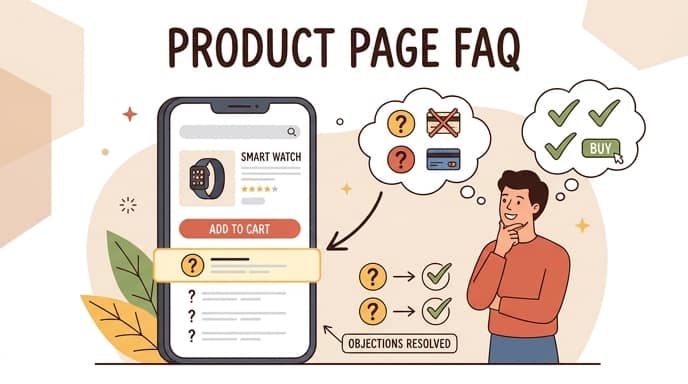
A product page FAQ that converts is a highly targeted list of 4 to 6 questions placed directly on the product page to resolve immediate purchase-blocking objections, reducing cart abandonment and boosting conversion rates. By addressing customer hesitations at the point of sale, this specialized FAQ reduces friction without forcing users to leave the page.
According to ecommerce research, integrating an effective FAQ section on product pages can boost conversions by addressing customer queries and reducing cart abandonment (Answerbase). Furthermore, these sections optimize your store for modern search behaviors. FAQ sections on product pages also help products show up in AI search results when tools like ChatGPT, Claude, or Perplexity scrape web content (CreateMyStore). For more actionable ecommerce optimization strategies, check out our resources on the PageHunter blog.
Product FAQ vs. Main Support Page: Knowing the Difference
A product-specific FAQ addresses immediate product-level barriers, whereas a main support page handles site-wide operational policies.
Keep purchase-blocking objections right on the product page to prevent users from navigating away to find answers. If a customer has to leave the checkout flow to look up sizing or compatibility, they rarely return to complete the purchase.
Move shipping, warranty, and return logistics into clean accordion dropdowns rather than dedicating massive text blocks to them. This keeps the layout tidy while still providing necessary transactional reassurance.
Avoid cognitive overload by limiting the list to 4-6 high-intent questions. Too many options create decision fatigue, which actively hurts your conversion rate.
Identifying the Right Objections to Address
The most effective objections to address are the specific friction points that prevent a customer from clicking the “Add to Cart” button.
Surface sizing, compatibility, and core utility friction points first. If you sell electronics, clarify battery life or port compatibility; if you sell apparel, define the exact fit profile.
Mine customer support tickets and review sections for real phrasing. Using the exact language your customers use makes your FAQ feel highly relevant and authentic.
Prioritize hesitation drivers that prevent immediate add-to-cart clicks. If customers frequently ask “Will this work with my existing setup?”, that question must be answered first.
Objection-Handling Checklist for Operators
- Review the last 30 customer support tickets for recurring product questions.
- Analyze competitor reviews to identify common complaints or points of confusion.
- Identify the top 3 compatibility or sizing concerns for the specific SKU.
- Draft answers using the exact vocabulary and phrasing used by your target audience.
Writing High-Converting Answers
High-converting FAQ answers are concise, direct, and structured to build trust while remaining highly readable for both humans and AI scrapers.
Keep answers concise, direct, and transparent. Avoid marketing fluff or overly promotional language; instead, provide clear, factual data points.
Address refund and return policies proactively to build instant trust. Customers are more willing to buy when they know exactly how easy it is to return an item if it does not meet expectations.
To prevent layout shifts (Cumulative Layout Shift) and cognitive overload, operators must adhere to strict character limits. Keep questions under 80 characters to ensure they fit on a single line on mobile devices. Keep answers under 250 to 300 characters (roughly 40 to 50 words) so they do not push critical page elements out of the viewport when expanded.
Operators can copy and paste the following prompt template into AI tools to generate highly optimized, objection-focused product FAQs:
Act as an expert conversion rate optimization (CRO) copywriter. Write a product page FAQ section for [Product Name], which is a [Product Category/Description].
Target Audience: [Describe target audience]
Key Objections to Address: [List 2-3 main objections, e.g., sizing, compatibility, shipping]

Guidelines:
1. Write 4 to 6 questions and answers.
2. Keep each question under 80 characters.
3. Keep each answer under 250 characters.
4. Use a direct, factual, and reassuring tone. Do not use marketing fluff.
5. Format as clear Q&A pairs.
Key takeaway: Keep your FAQ answers factual and direct; keeping accordion answers under 250 characters prevents layout shifts, builds immediate buyer confidence, and improves your visibility in AI search engines.
Integrating FAQs into Your Store Layout
FAQs should be integrated seamlessly below the primary purchase box to serve as a safety net for hesitant buyers.
Placement tips: Position the FAQ section below the main purchase box and reviews. This ensures that highly motivated buyers can check out immediately, while hesitant buyers can scroll down to find answers to their questions.
Accordion vs. static list: Interactive toggles (accordions) reduce page length friction significantly. They allow users to scan the questions quickly and only expand the answers they care about, keeping the mobile viewport clean.
Mobile optimization considerations for Shopify and WooCommerce setups are critical. Ensure your accordion targets are large enough for thumb taps and do not cause layout shifts when expanded.
Automating Product Page Creation with PageHunter
You can automate the creation of fully optimized, FAQ-integrated product pages using advanced AI tools.
If you want to build high-converting product pages without writing FAQs manually, you can use an AI landing page generator to handle the heavy lifting. With PageHunter, you can instantly generate conversion-optimized product pages from a simple product URL.
The platform automatically structures layouts with built-in objection handling and FAQ modules tailored specifically to your product’s unique selling points. This ensures your Shopify or WooCommerce store is always optimized for both human conversions and AI search visibility.
To get started, you can explore the PageHunter pricing plans or launch your first page directly inside the PageHunter app.
Frequently Asked Questions
A high-converting product page FAQ resolves immediate buying friction directly on the product page to boost conversion rates.
Where should a product page FAQ be placed?
Place the FAQ section below the main purchase box and product reviews. This keeps the checkout flow clean for ready buyers while capturing hesitant shoppers who scroll down for answers.
How do product page FAQs impact SEO and AI search?
FAQs provide structured, keyword-rich content that helps search engines index your product details. They also make your product pages easily scrapable by AI search engines like ChatGPT and Perplexity, increasing your visibility in conversational search results.
How many questions should be in a product page FAQ?
Keep your product page FAQ limited to 4 to 6 high-intent questions. This prevents cognitive overload and keeps the page layout clean, especially on mobile devices.